 Opentip
Docs that write themselves from your code.
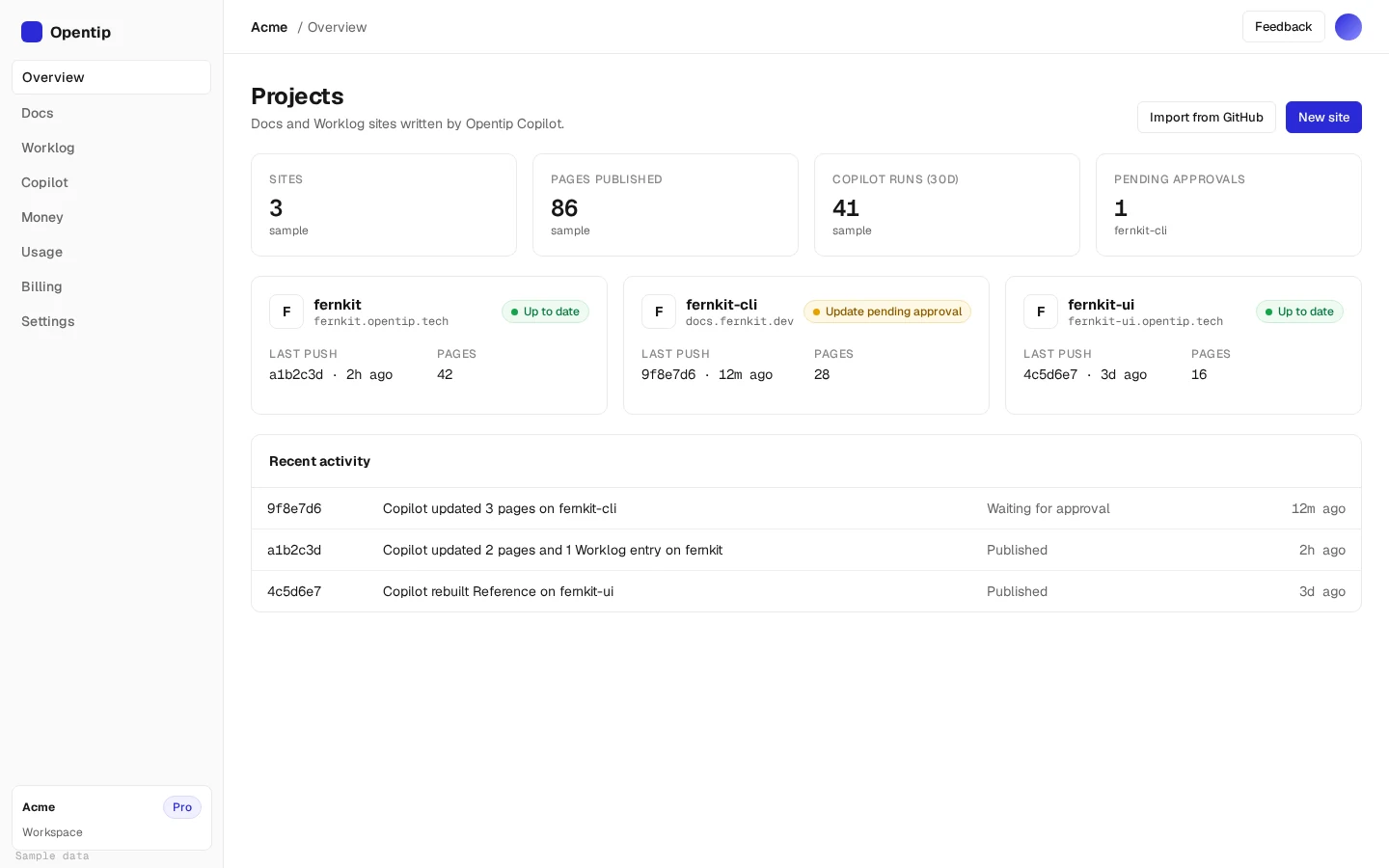
Opentip Copilot reads your whole codebase, writes a docs site and a Worklog, and updates the affected pages every time you push.
Three steps from repo to docs site
Install the GitHub App
Pick the repos you want documented. Opentip reads them and never writes to them.
Copilot writes your docs
Opentip Copilot reads the whole codebase first, then writes a docs site and a Worklog.
Push and they stay current
Every push triggers an update. Copilot rewrites only the pages your change affects.
It reads the code before it writes a word
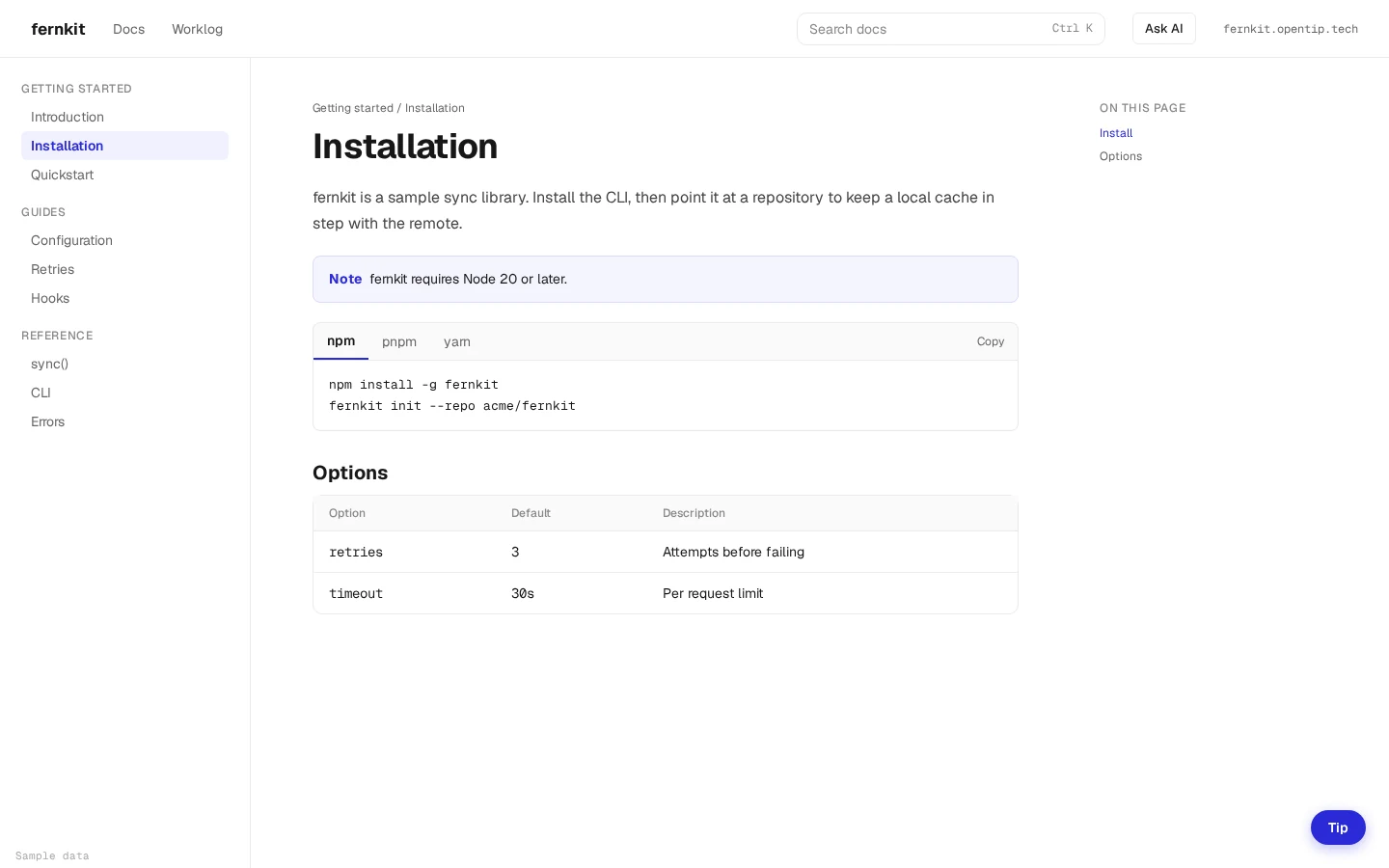
Copilot goes through your entire codebase before it starts. Then it writes a full docs site with tables, code tabs, diagrams, callouts and step-by-step guides.
Push code. The docs follow.
The Opentip GitHub App runs on every push. Each push updates only the pages it affects, and pushes that don't touch documented code are skipped.
- Each push updates only the pages it affects
- Pushes that don't touch documented code are skipped
- Turn on approval if you want to review each update before it goes live
Ask for a change. Preview it. Approve it.
Tell Copilot what to change in the dashboard chat. You see a preview before anything goes live. Your edits stay in place when later pushes update the docs.
A changelog you don't have to write
Copilot turns your commits into a Worklog, a public page that shows what shipped and links each entry to its commits.
Hosted for you, on your name or your domain
Every site goes live at name.opentip.tech. On Pro and Team, connect a custom domain and use every theme, including your own.
Free includes a selection of themes. Custom domains and all themes are on Pro and Team.
Docs that people and AI tools can both read
llms.txt
Every site publishes an llms.txt file, on every plan.
MCP server
Connect AI coding tools to your docs over MCP. Pro and Team. Team gets a private MCP server with a key.
Ask AI
Visitors can ask questions on your public docs site and get answers from your docs. Paid plans.
Let readers tip you
Add a tip button to your docs and Worklog pages. Supporters can tip in ETH or USDC. It's free on every plan, fees stay the same as today, and you can turn it off for any site.
Opentip reads your code. It never writes to it.
Opentip never commits to your repo and never opens pull requests. Your docs live on Opentip's hosting, and you decide whether updates publish on their own or wait for your approval.
Read only
No commits to your repo.
No pull requests
Nothing lands in your review queue.
Optional approval
Approve before anything publishes.
Three plans. Pricing comes at launch.
Everything is free during the beta. Pricing comes at launch.
| FreeFor trying Opentip on one project. | ProFor maintainers who want their own domain and AI features. | TeamFor teams that share docs across repos and people. | |
|---|---|---|---|
| Docs site and Worklog by Copilot | Yes | Yes | Yes |
| Updates on every push | Yes | Yes | Yes |
| Copilot chat edits | Limited | More each month | The most each month |
| Hosting | name.opentip.tech | Custom domain | Custom domain |
| Themes | Ledger, Minimal | All, plus custom | All, plus custom |
| Ask AI and MCP | llms.txt only | Yes | Yes, private MCP |
| Seats | 1 | 1 | Up to 10 |
| Tip button (ETH, USDC) | Yes | Yes | Yes |
| Apply | Apply | Apply |
You won't be charged during the beta.
Questions
Does Opentip write to my repo?
No. Opentip never commits to your repo and never opens pull requests. It reads your code and hosts the docs itself.
How do the docs stay up to date?
A GitHub App runs on every push. Each push updates only the pages it affects, and pushes that don't touch documented code are skipped.
Can I review changes before they go live?
Yes, on every plan. Approval before publishing is optional. Turn it on and each update waits for you.
What happens to my chat edits when I push?
Your edits stay in place when later pushes update the docs.
Where are my docs hosted?
Every site goes live at name.opentip.tech. On Pro and Team, connect a custom domain.
What are llms.txt and MCP?
Every site publishes an llms.txt file, on every plan. MCP connects AI coding tools to your docs. Pro and Team include an MCP server. Team gets a private MCP server with a key.
How do tips work?
Add a tip button to your docs and Worklog pages. Supporters can tip in ETH or USDC. It's free on every plan, fees stay the same as today, and you can turn it off for any site.
How do I get into the beta?
Apply for the beta. It runs for one to two months. We'll email you access. No charge during the beta.
Help shape Opentip
The beta runs for one to two months. Apply, and we'll email you access. Connect a repo and tell us what works and what doesn't.
Apply for the beta